Tonalo

For Navidrome & Subsonic servers

Your music server.
On the TV and in your pocket.

Tonalo plays your own music library on LG TVs and the iPhone, with an Apple Watch app and CarPlay. Free, open source, and it talks to nobody but your server.

MIT licensed. Source code on GitHub.
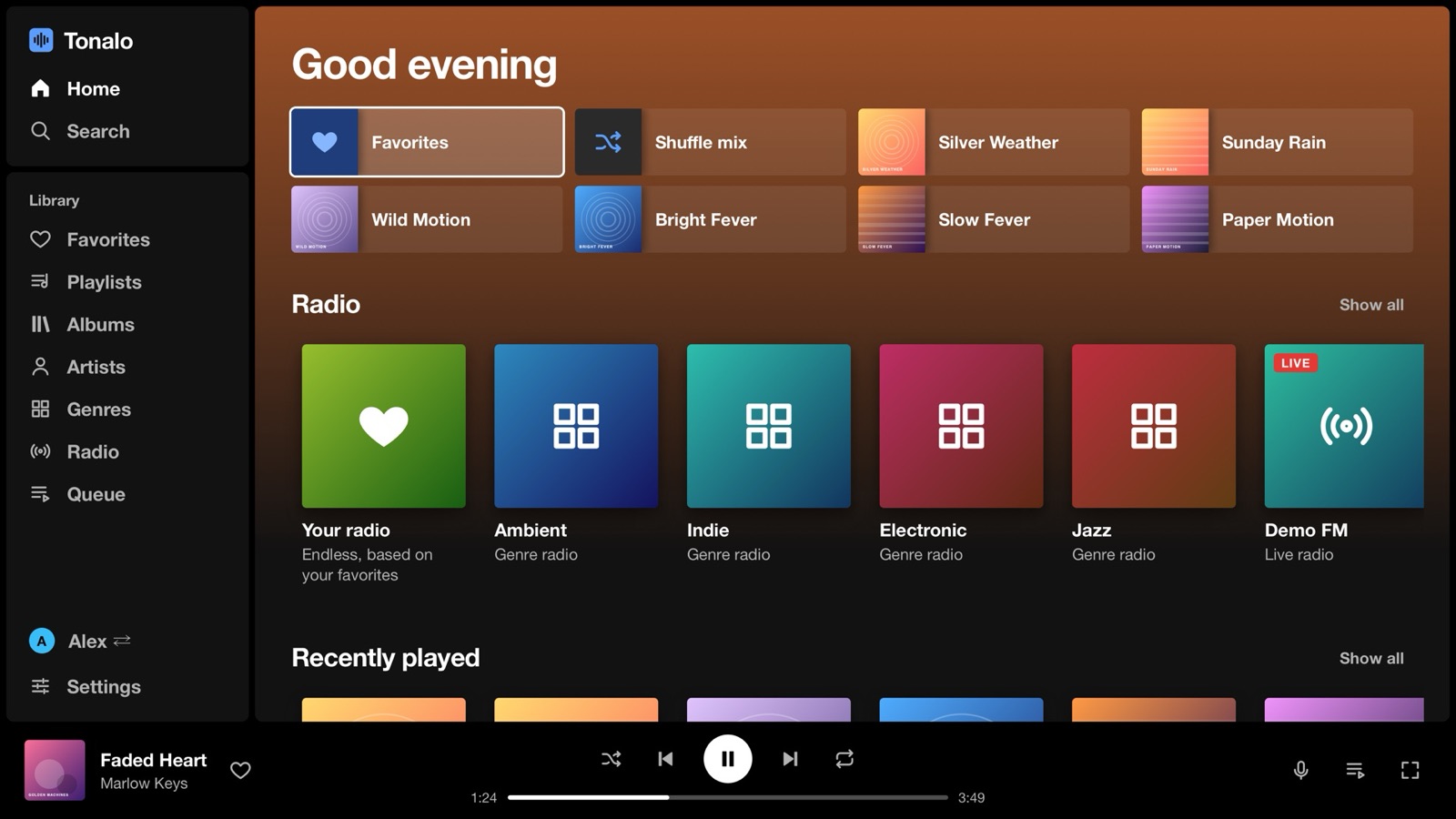
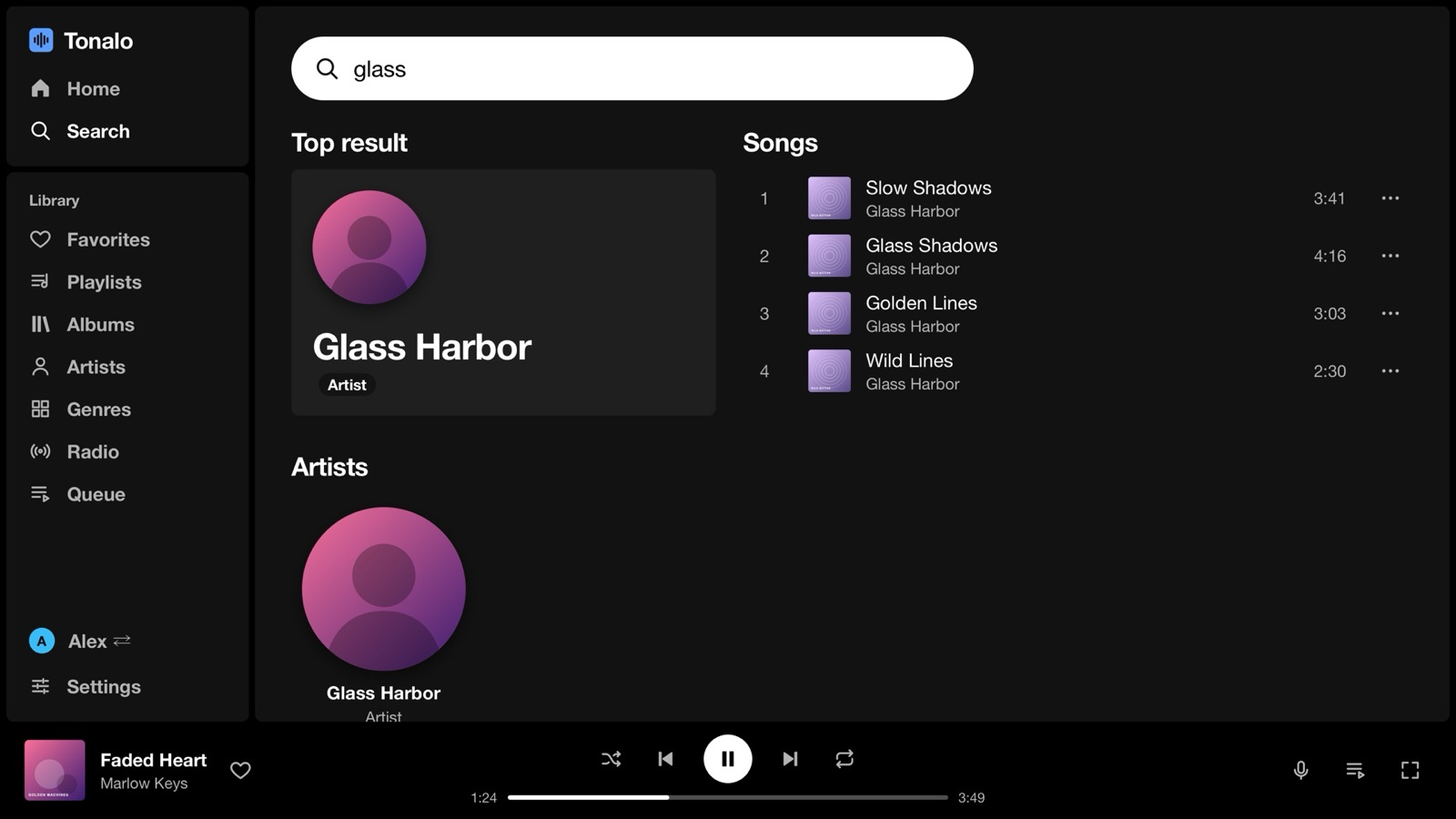
Tonalo on an LG TV: home screen with favorites, playlists and radio
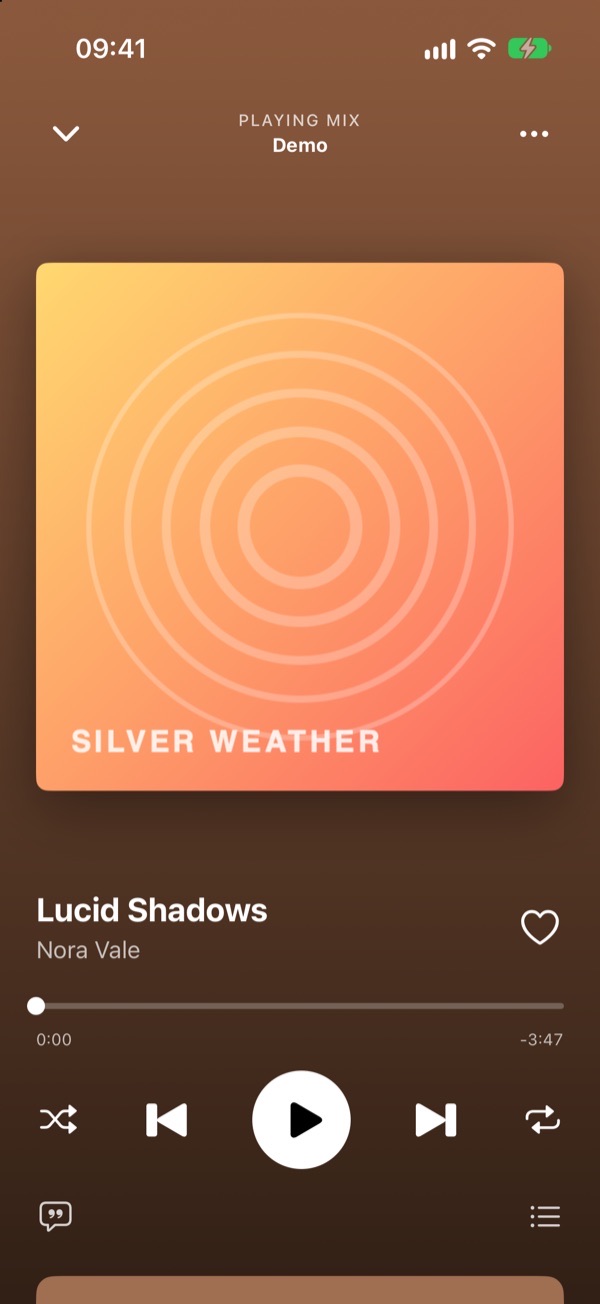
Tonalo on the iPhone: the player
Your server onlyNo account, no cloud. The apps connect to your Navidrome and nothing else.
Free and open sourceMIT license. No ads, no in-app purchases, no premium tier.
Nothing collectedNo analytics, no tracking, no crash reporter inside the apps.
Picks up where you leftPause on the phone, open the TV, keep listening.

LG webOS TV

Made for the remote, not a mouse.

Navidrome's web player technically opens in the TV browser, but it is built for a mouse. Tonalo is a real webOS app: arrows and OK to get around, Back to go back, and the play, pause and skip buttons do what you would expect.
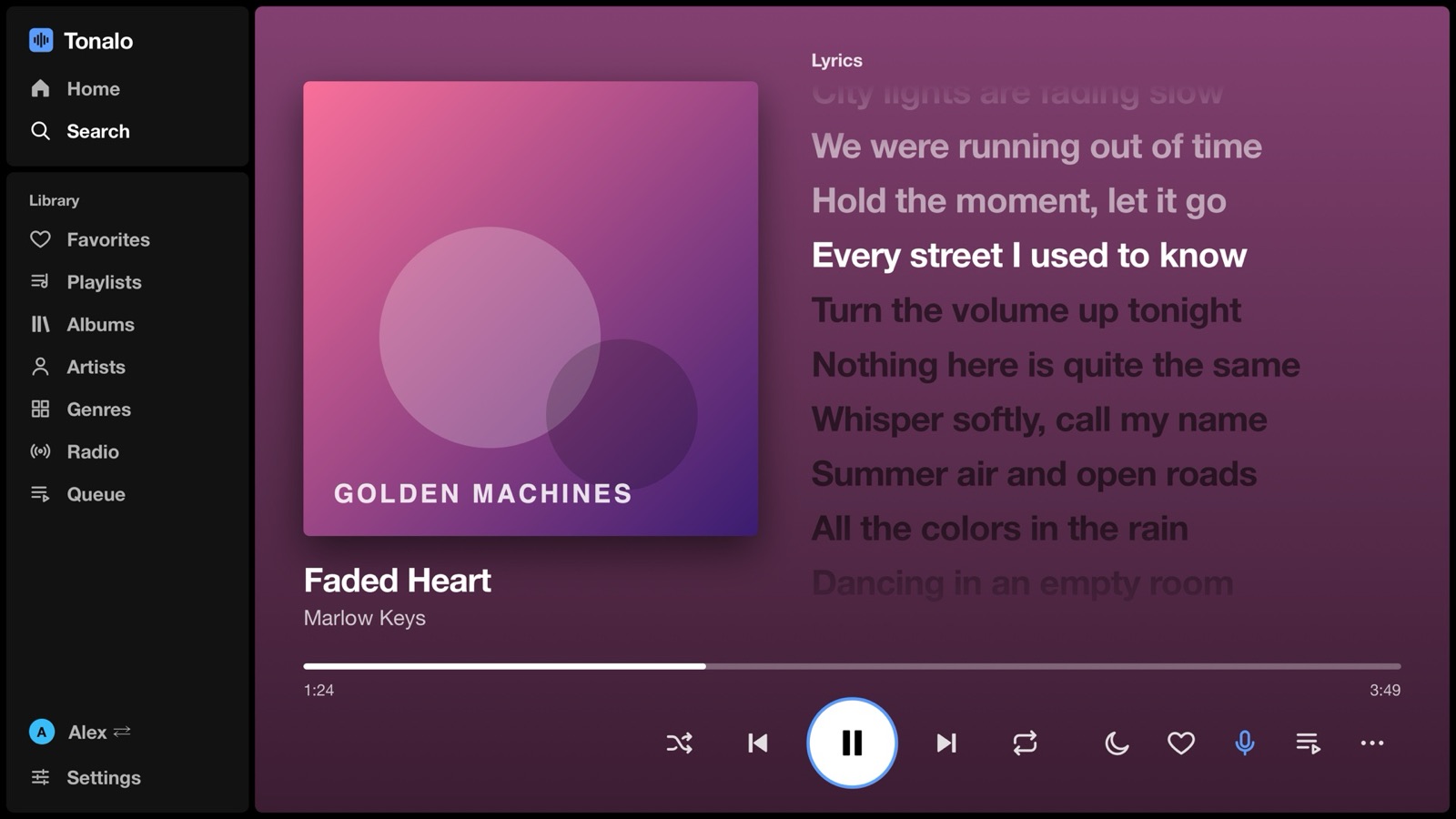
Full-screen player with synced lyrics

Synced lyrics

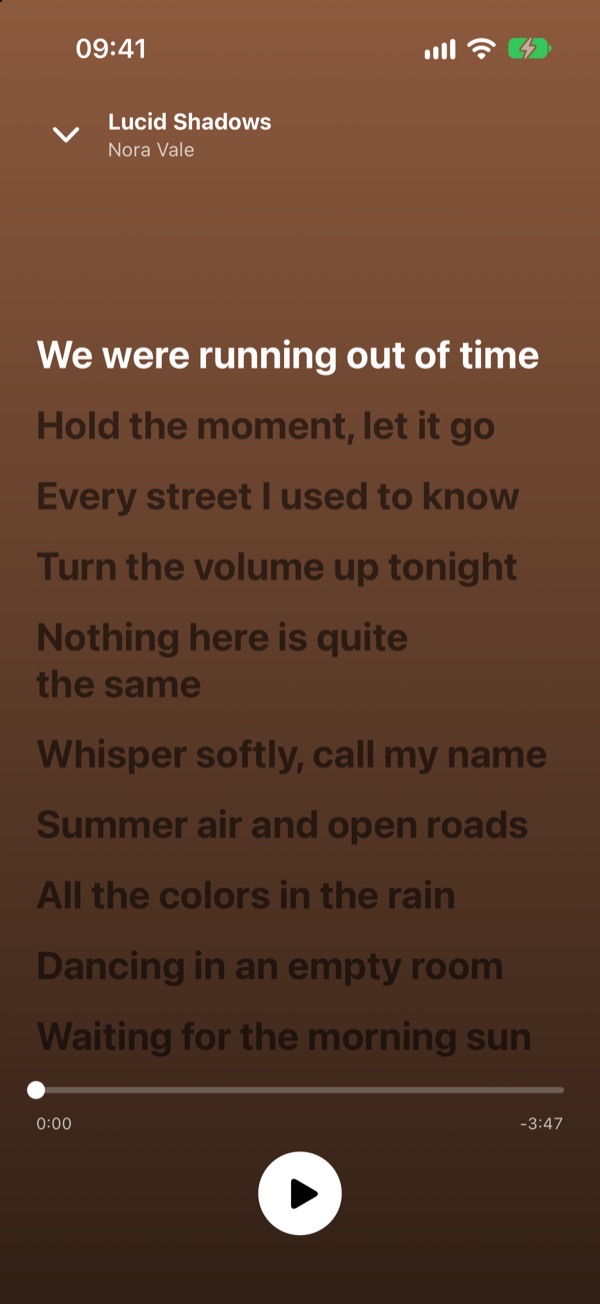
The full-screen player follows the song line by line, when your server has lyrics in the file or as an .lrc next to it.

Endless radio

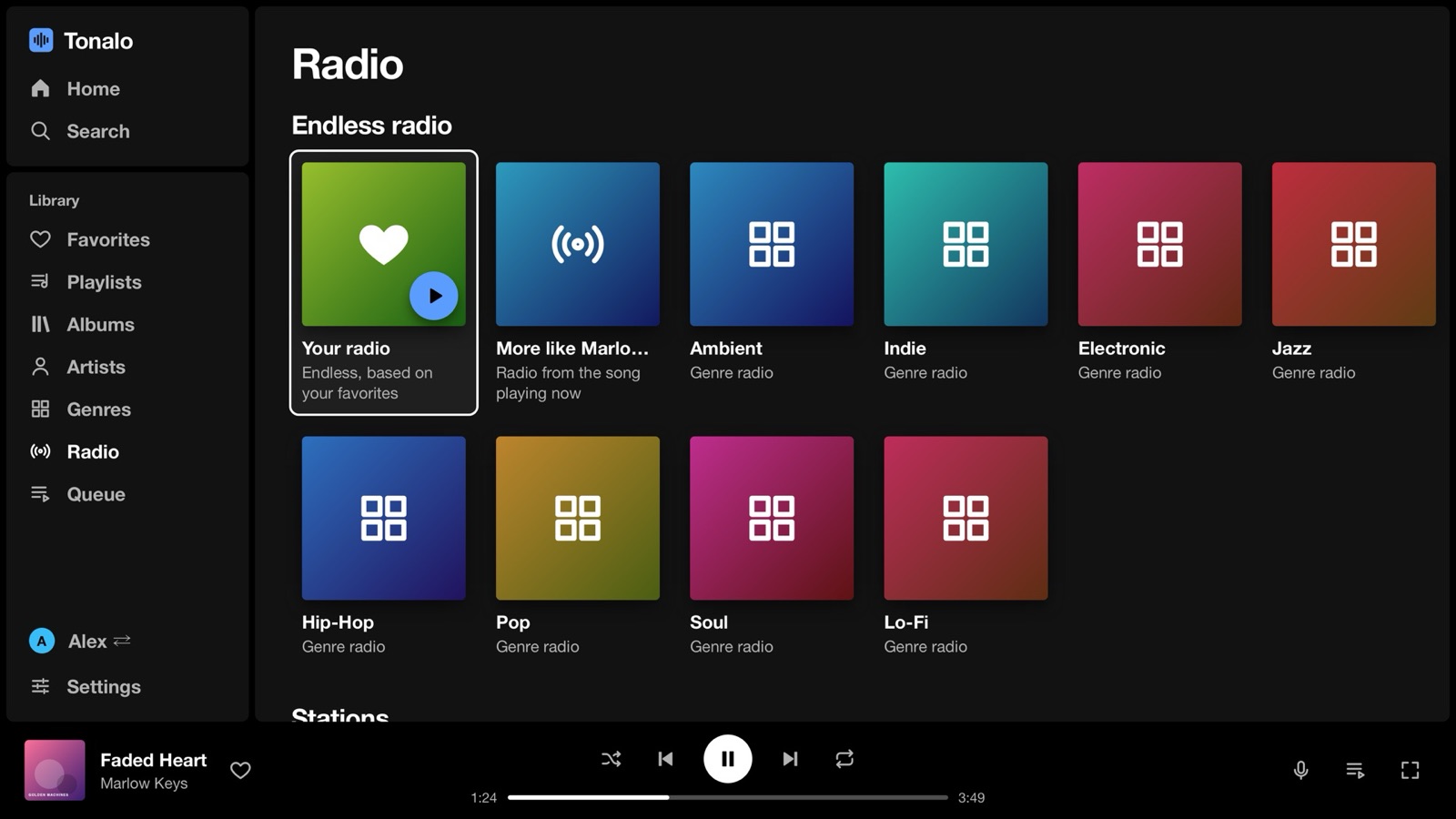
From a song, an artist, a genre or your favorites. It tops itself up and learns from skips and hearts.

A profile for everyone

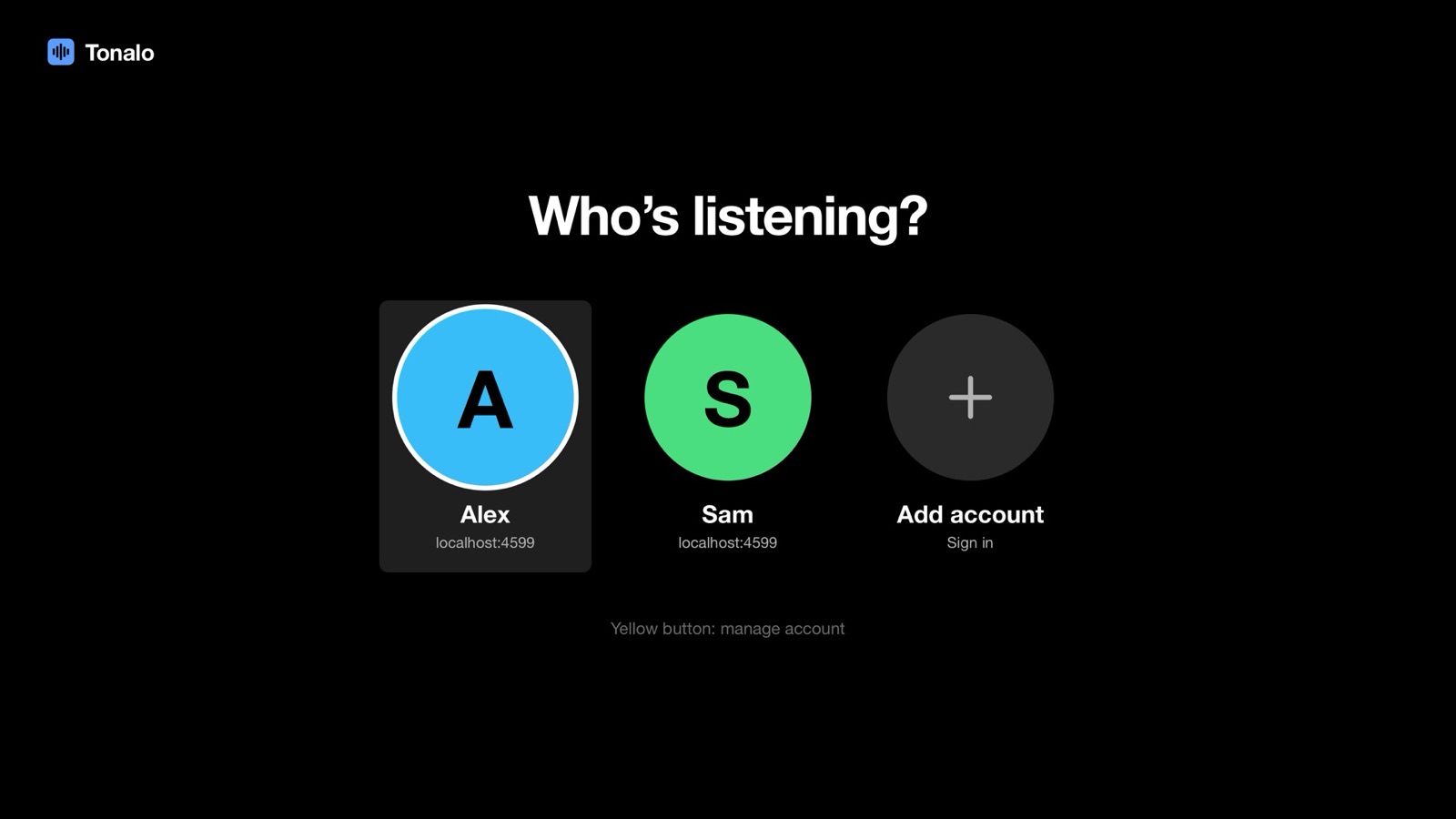
Everyone signs in once and picks their name on start. Queues, favorites and settings stay apart.

Crossfade and leveling

Fade 3 to 12 seconds between songs, and even out loud and quiet albums with ReplayGain.

Sleep timer

Stop after 15 to 90 minutes or at the end of the song. The music fades out gently.

Kind to OLEDs

A slowly moving screensaver with the cover and a clock, so nothing burns into the panel.

Nine languages

English, German, Spanish, French, Italian, Portuguese, Dutch, Polish and Turkish. It follows the TV.
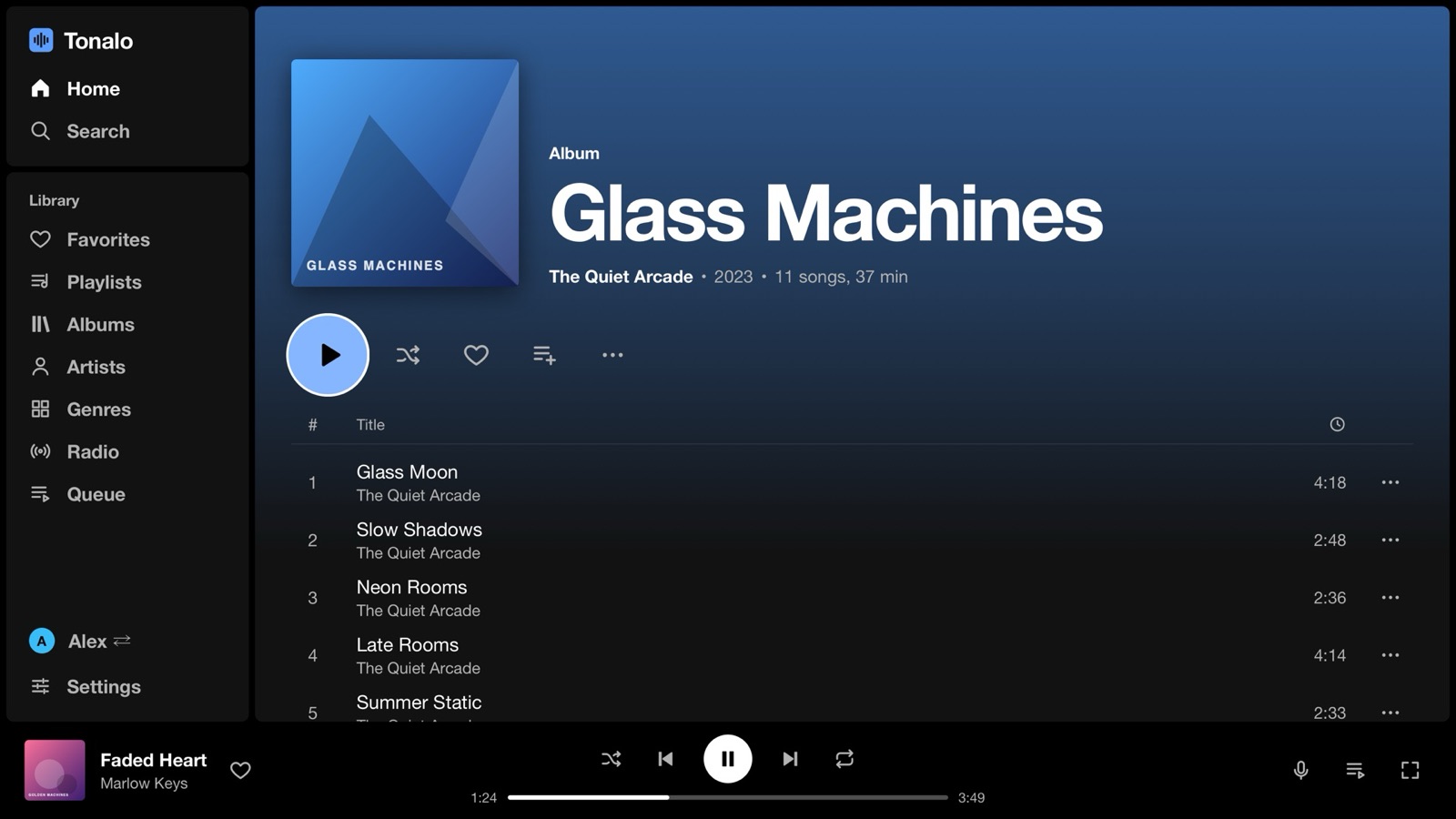
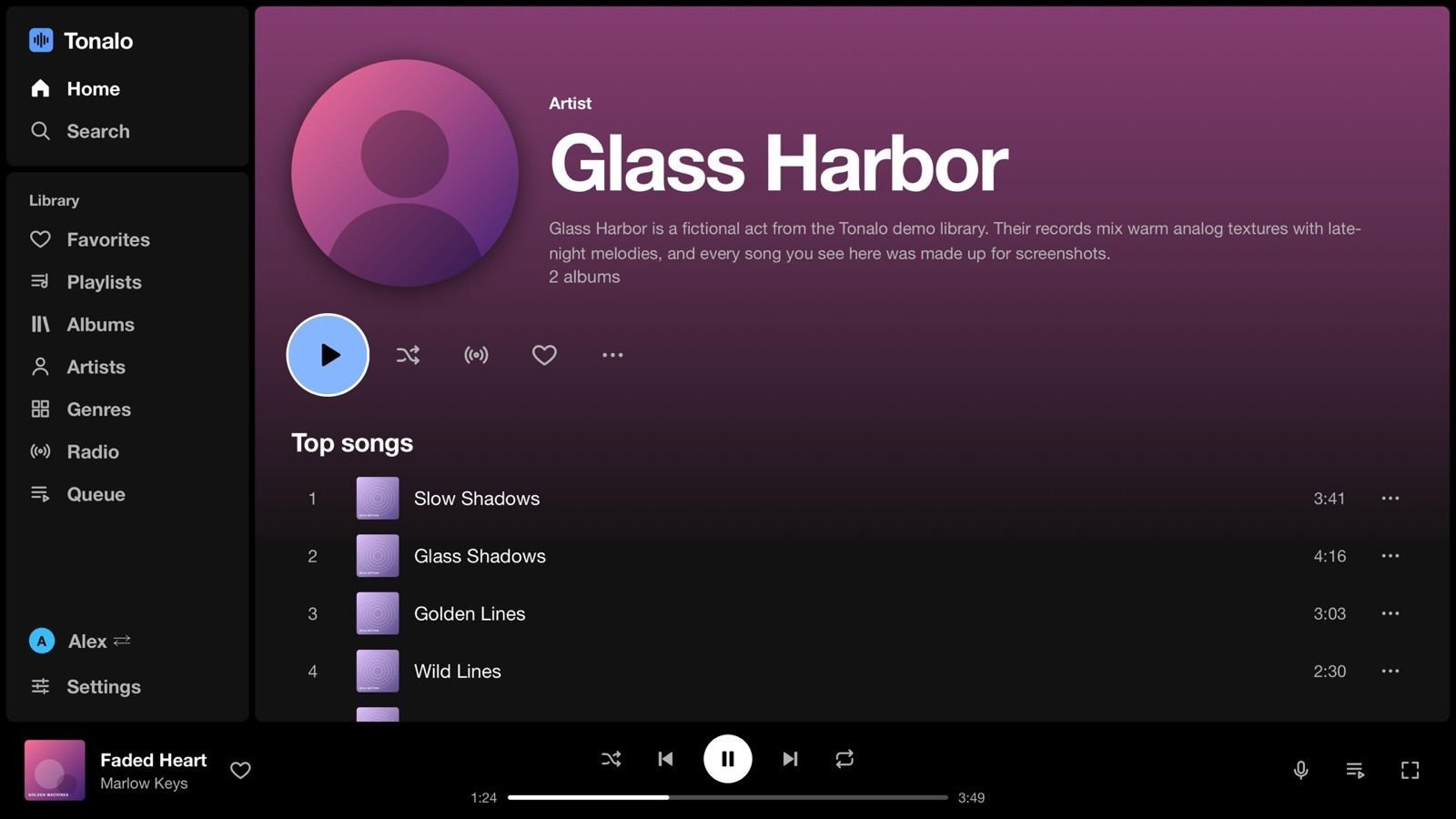
Every button has a job.

The Magic Remote pointer works too, but you never need it. The queue survives a restart, songs move up and down with the arrows, and playlists can be renamed, cleaned up or deleted right from the couch.

  • ▲︎▼︎◀︎▶︎OKMove around and select
  • BackGo back, then to the sidebar, then ask before quitting
  • ▶︎❚❚■︎Play, pause, stop
  • ◀◀︎▶▶︎Skip 10 seconds, hold to change the song
  • CH +CH –Scroll a page at a time
  • Now playing, search, options, play/pause

iPhone

Feels like the big streaming apps. Plays your files.

A native SwiftUI app with a home screen, search, a library and a player that takes its colors from the cover. Lossless stays lossless, and the whole library works offline if you want it to.
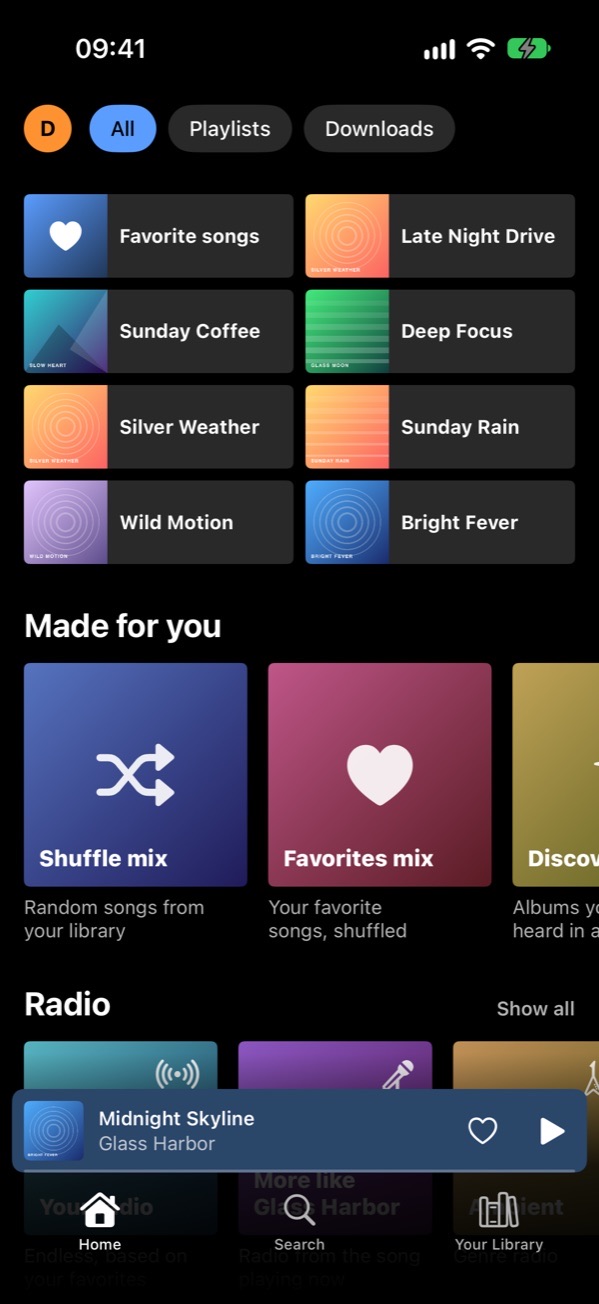
Home
Home
Player
Player
Synced lyrics
Synced lyrics
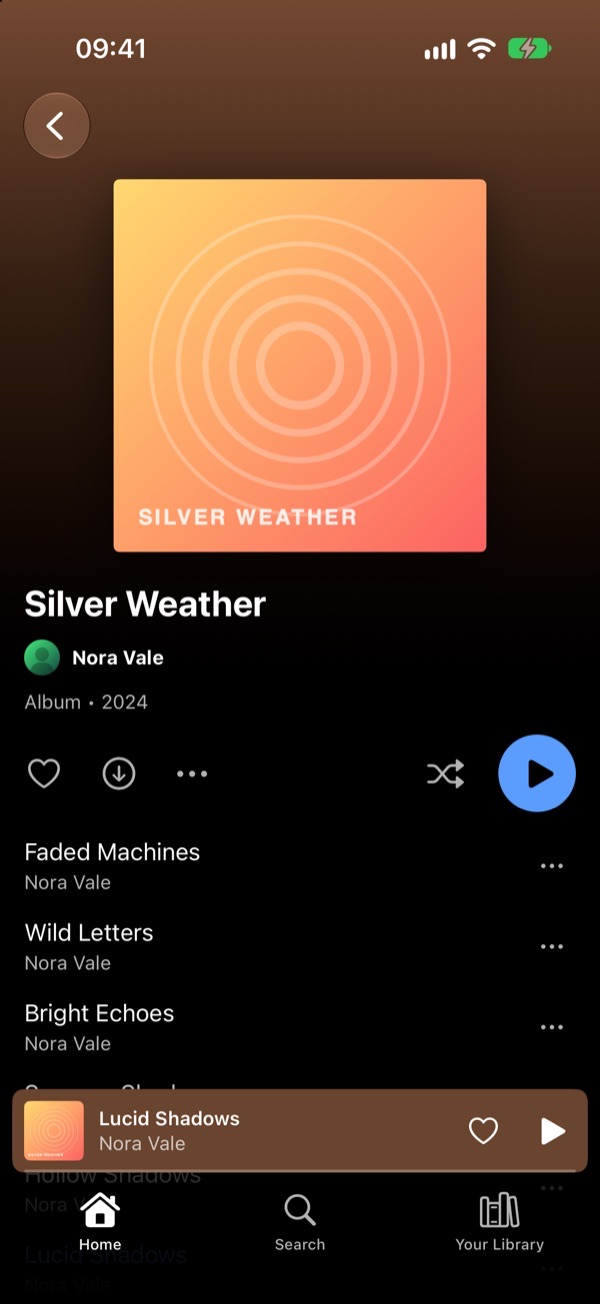
Album
Album
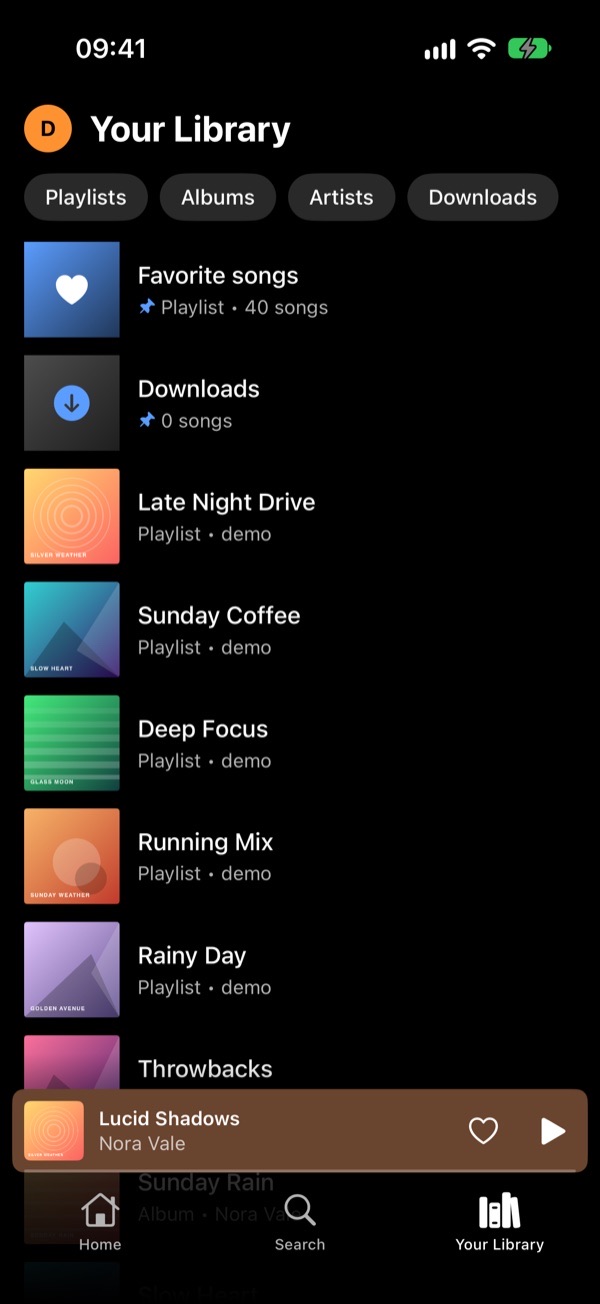
Your library
Your library
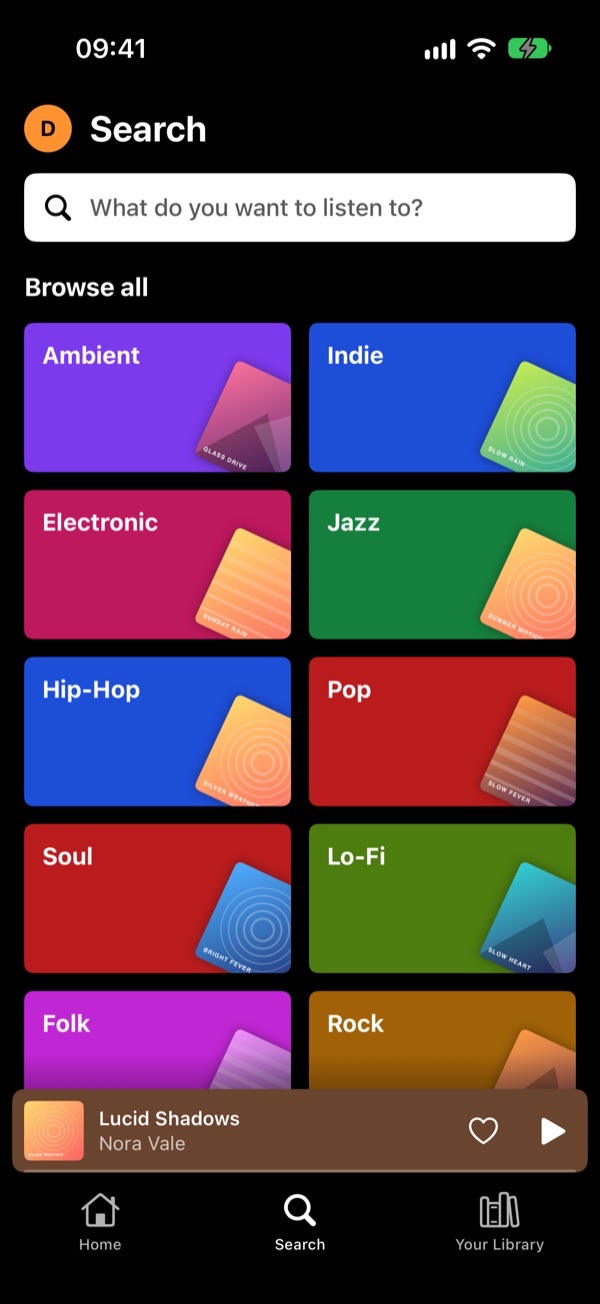
Search with genres
Search and genres
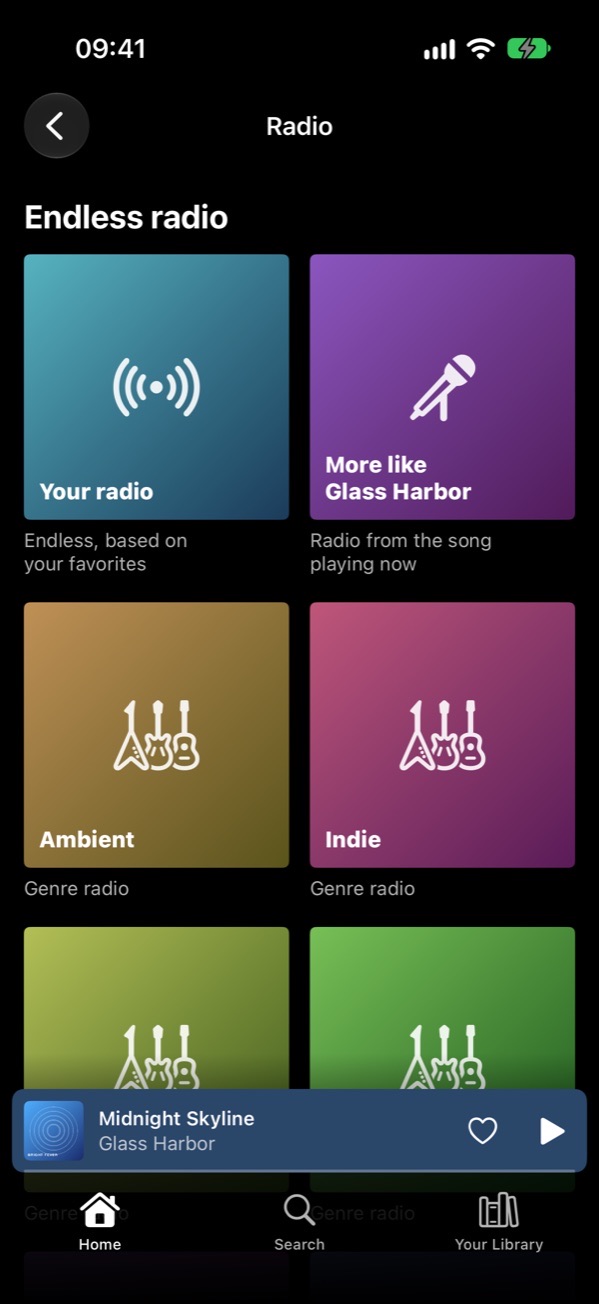
Endless radio
Radio
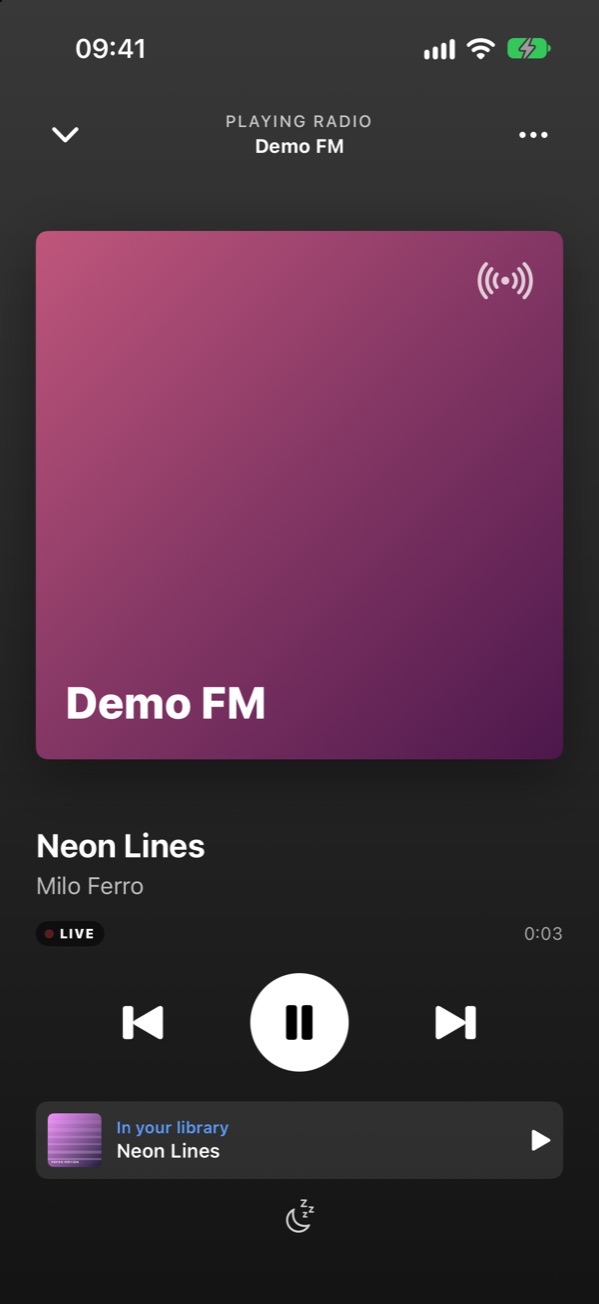
A radio station playing live
A station, live

Listening

  • Endless radio from a song, artist, genre or your favorites. It plays more of what you finish or like and less of what you skip.
  • Autoplay keeps going with similar songs when an album or playlist ends.
  • Crossfade of up to 12 seconds, a sleep timer that fades out, and volume leveling per song or album.
  • A queue you reorder by dragging, swipe gestures in the player, synced lyrics.
  • Artist pages with popular songs, the discography, “Fans also like” and a biography.

Offline

  • Downloads of songs, albums and playlists, five at a time in the background, optionally on Wi-Fi only.
  • Library sync puts every album, artist and playlist on the phone, so it opens instantly, even in a tunnel.
  • Loading ahead: the next one to five songs are fetched early, so a dead spot doesn't stop the music.
  • Lyrics come along, and scrobbles made offline are sent later.

Sound quality

  • Set separately for Wi-Fi, cellular and downloads.
  • Original files: FLAC stays FLAC. Or let your server convert to AAC, Opus or MP3.
  • Each level shows how much data an hour of music takes.
  • Formats the iPhone can't play are converted automatically.

Your server, your way

  • Home address: on your Wi-Fi the app talks to the server directly and switches back outside, mid-song and without a gap.
  • Custom HTTP headers per account, for Cloudflare Access, Authelia and similar. Secrets stay in the Keychain.
  • Several accounts, with a “Who's listening?” picker on start.
  • A heart for the lock screen and Control Center, and a Siri shortcut to like the current song.

Make it yours

  • Eight accent colors or your own, and nine app icons.
  • Choose the start screen and which rows the home screen shows.
  • Backgrounds tinted with the cover, or plain black.
  • Pin playlists to the top of your library with a long press.

Small things

  • The quality badge in the player shows what is playing, like FLAC or AAC 256.
  • Swipe the mini player to skip, swipe up to open the player.
  • Smart playlists from your server are marked and kept read-only.
  • Logging out removes that account's downloads and cache from the phone.

Radio

Endless radio, and your stations live.

Pick a song and Tonalo keeps playing music like it, straight from your library, for as long as you listen. It gets better the more you skip and like.

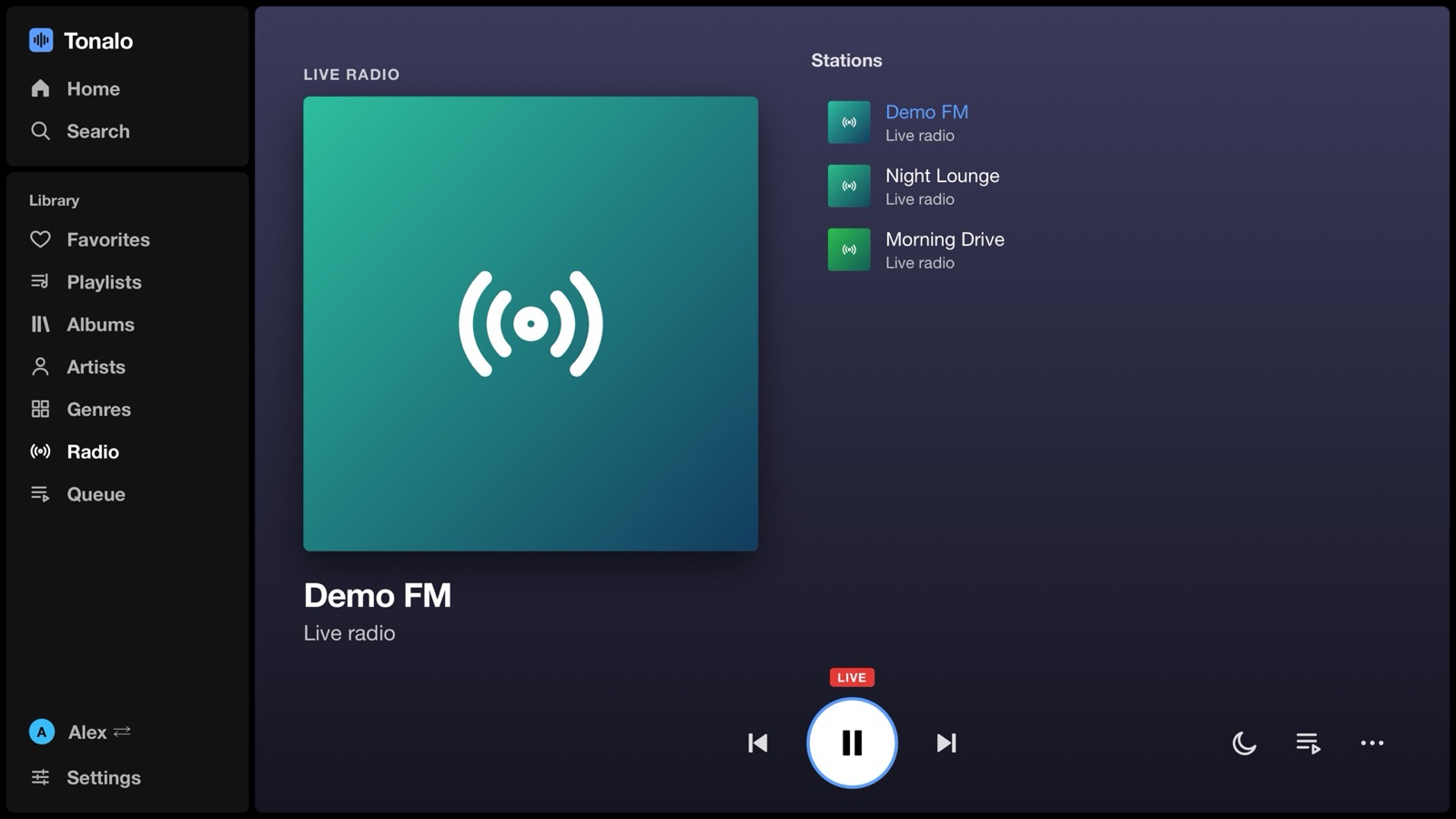
The internet radio stations set up in Navidrome play live on both apps. On the iPhone you see the song on air, and if it's in your library, one tap plays it from there.

A radio station on the TV
A radio station on the iPhone

Between devices

Start on the train, finish on the couch.

Your queue and position are kept on your Navidrome server. Pause on the iPhone, open Tonalo on the TV, and it offers to carry on with the same song at the same second. It works the other way round too.

No extra service and no pairing. It uses Navidrome's own play queue, so there is nothing to set up.

iPhonepause
Your serverkeeps the queue
TVcontinue

Apple Watch & CarPlay

On your wrist and in the car.

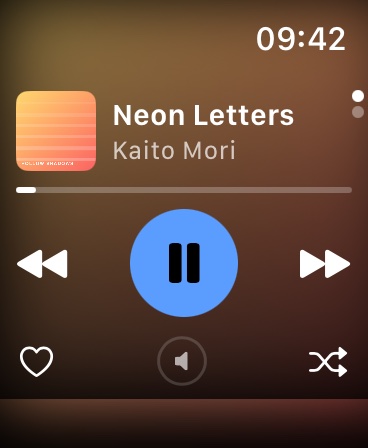
Tonalo on the Apple Watch: the player
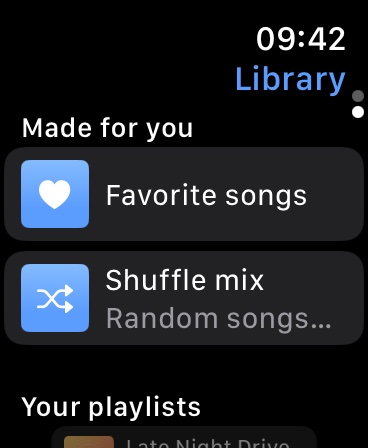
Tonalo on the Apple Watch: playlists and favorites

Apple Watch

A remote for the iPhone that comes along with the app. It never talks to your server and stores no login.

  • Player with the cover, play, skip, shuffle and a heart
  • The iPhone's volume on the Digital Crown
  • Start your playlists and favorites from the wrist

CarPlay

Your library on the car screen, made to be used at a glance.

  • Home, library and downloads
  • Shuffle, repeat and a heart in the player
  • No search, because Apple doesn't allow a keyboard in CarPlay music apps

Privacy

Your music stays between you and your server.

Tonalo has no backend of its own. There is no account to create and nothing to opt out of.

No password stored

Only the salted token the Subsonic API uses is kept, never the password itself.

Keychain on the iPhone

The token and any custom headers live in the iOS Keychain, on that one device.

No analytics

No tracking, no ad SDKs, no third-party code at all in the iPhone app.

Headers stay put

Custom headers never follow a redirect to another host.

https by default

Plain http is only used for addresses in your home network.

Open code

Every line is on GitHub, so you can check what the apps do.

The only other connection: a radio station's own server while you listen to it. Details in the privacy policy.

Download

Try it.

Both apps are free. Bring a Navidrome server, or any other server that speaks the Subsonic API.

iOS 17 or newer · watchOS 10 or newer

iPhone, Apple Watch, CarPlay

  1. Install Apple's TestFlight app from the App Store.
  2. Open the invite link on your iPhone and tap Install. The watch app comes along if your iPhone is paired with one.
  3. Sign in with your server address, user name and password.

LG TV · webOS 5 or newer

LG TV

  1. Download the .ipk from the latest release.
  2. Install it on a rooted TV with the Homebrew Channel, or in Developer Mode with webOS Dev Manager.
  3. Enter your server address, for example http://192.168.1.10:4533, and sign in.

Questions

Good to know

Which servers does it work with?

Tonalo is built and tested with Navidrome. Other servers with the Subsonic API, like Gonic or Airsonic-Advanced, should work but haven't been tried yet. Reports are very welcome.

Does it cost anything?

No. Both apps are free and MIT licensed, without ads, subscriptions or in-app purchases.

When will it be in the App Store and the Homebrew Channel?

The iPhone app is in public beta on TestFlight right now; the App Store comes next. The TV app is planned for the Homebrew Channel. Until then, the .ipk from the GitHub releases works on any rooted TV or one in Developer Mode.

Why are artist pages empty on my server?

Popular songs, similar artists and biographies come from Navidrome, which gets them from Last.fm. Adding a free Last.fm API key to Navidrome takes two minutes; the server tips show how. Without it, the iPhone app shows your own most played songs instead.

Is there an Android or Samsung TV version?

Not at the moment. Tonalo is made for LG webOS and the iPhone.

Was AI involved?

A good part of the code was written together with an AI coding assistant. Everything is tested on a real LG OLED and iPhone, and the code is public, so you can see exactly what it does.

I found a bug or have an idea.

Open an issue on GitHub; there are forms for both. On the iPhone you can also send a screenshot as TestFlight feedback. Security problems please report privately.